
How to Use Pinterest for Blogging (Increase Blog Traffic in 2024)
If you want to skyrocket your traffic you need to figure out how to use Pinterest for blogging. Follow these tips for a guide on how to increase your blog traffic with Pinterest.

The first thing you need to know about using Pinterest for your blog is that Pinterest is not a social media platform, it’s a search engine.
And just like Google (and every other platform), Pinterest is constantly evolving.
Pinterest has been a major source of my traffic since Day 1 of my blog. On the other hand, Google takes roughly 4-6 months to see results or rank blog posts.
If the topic or keyword is highly competitive, it can take 6-12 months!
With Pinterest, you can see traffic growth on your blog almost immediately.
Don’t get discouraged if it takes time, but in general, Pinterest has a much quicker ROI than any other platform.
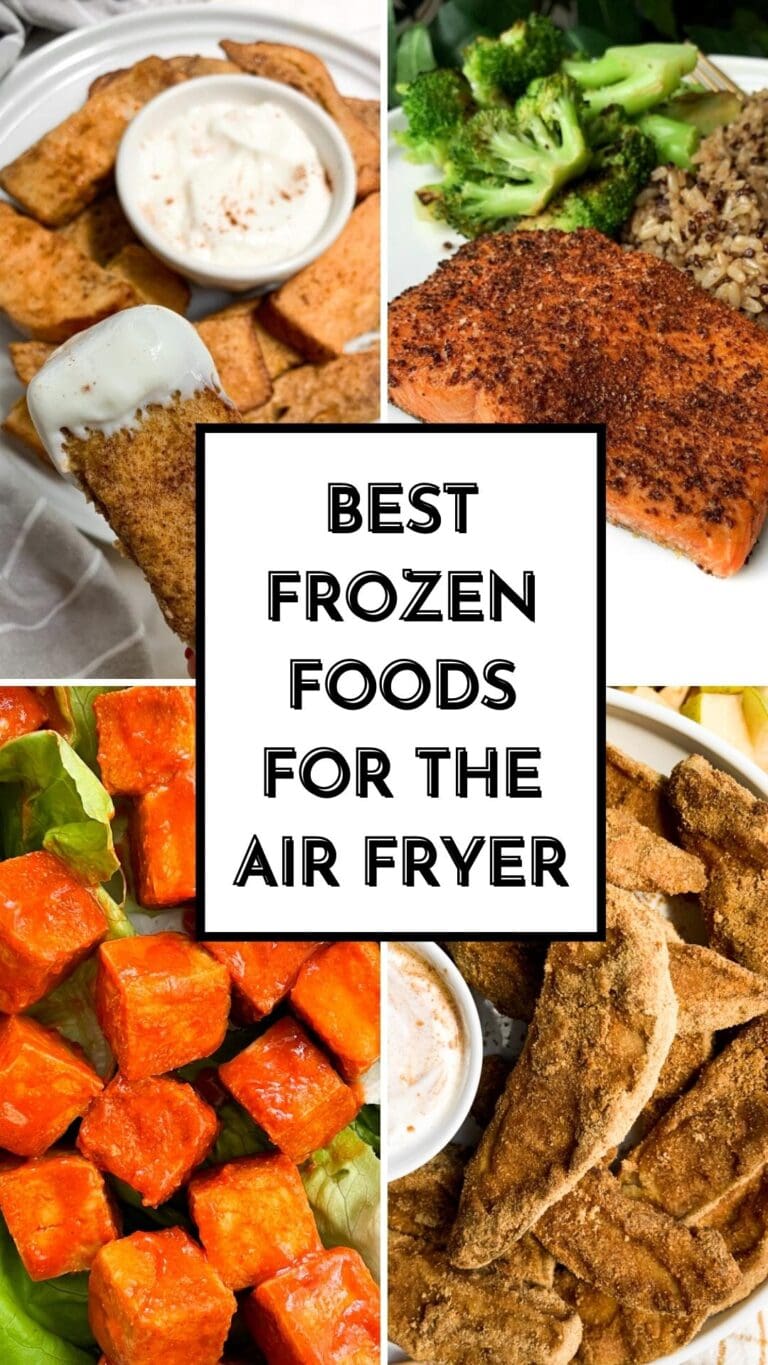
Take this pin for example.
In less than 2 weeks, it had generated over 5,000 blog views for the linked recipe.

While 5,000 blog page views may not be a ton of traffic, I know that it is only going to keep driving more and more as time goes on.
Pins are everlasting and the traffic continues to come years after it’s been pinned. Especially if you have a pin that goes viral.
This pin that I published a few months ago has produced over 90,000 blog views.
I am excited to see where it’s at this spring given that it’s a spring-focused recipe!

Although Pinterest may not be similar to Google in the amount of time it takes to rank your blog posts, it IS similar to Google in regards to Keywords.
So, let’s talk about how to use pinterest for blogging:
Keywords are, well, key.
I learned a TON about keywords in this Pinterst course I took last year. She dives deep into how to write the best captions and how to find what keywords to target on Pinterest.
When setting up your Pinterest account for blogging, make sure you put the keyword(s) in your:
- Pin title
- Pin description
- Pinterest board name, or use the most relevant board you have
- Alt tag when uploading the image,
- Image title when uploading the image
- …and anywhere else you can!
You can see I used the keyword “Chocolate Chia Protein Pudding” in all the areas here.
The image also was titled “chocolate chia pudding” before uploading. You don’t want it to be something like “IMG_7089”.

Although it is similar to google, it’s still quite different!
I don’t want to give away her tips and tricks so if you are curious about how to find what keywords to target on Pinterest for your blog posts, definitely check out this Pinterest course.
You can see how much it’s helped my traffic!!

You want to be detailed in your pin description and include keywords but, just like with SEO, avoid keyword stuffing.
I typically use pieces of my blog post to create a pin description, but this course helped me learn new ways and ideas when creating pin descriptions that get views and rank.
Be consistent
This tip applies to basically anything with blogging (or life?), but if you want to see results, you HAVE to be consistently sharing FRESH pins.
What are fresh pins? This means a new image with a new caption.

You can share to the same link as many times as you want, but make sure the pin itself is new and that the caption isn’t just a quick copy and paste of an old caption.
PromotedUS & Schengen Visa Guide
Get step-by-step assistance for your tourist visa approval.
Strategize your pinning schedule
I learned how to optimize my pinning schedule through this Pinterest course and it was 10000% worth the investment.
Because Pinterest is always changing, it’s important to find an expert in the area that you trust because they will stay on top of things so you don’t have to!
I have a blog, Instagram, Tiktok, Pinterest, YouTube channel, E-mail list, and am also a mom to a busy toddler. This doesn’t allow me much time to keep up-to-date with the new trends happening on Pinterest.

This course gets updated and she sends out e-mails to let you know when updates have been made.
It’s a huge time saver so I don’t have to research the new trends/updates myself!
Even if you don’t go ahead and purchase this course, I highly recommend finding one that you are enrolled in for a lifetime at no fee.
This means you will always have access to the latest strategies when it comes to pinterest for blogging.
Create Eye Catching Pins
I use Canva pro to create my pins and it’s easily been one of the best investments I’ve made.

If you are just getting started, you can get away with using their free version, but if you want your pins to stick out, have access to branded pins, and also have a large media library, you will eventually need Canva Pro.
Here is my personal strategy for designing Pinterest pins for my blog:
- Design a simple pin – you don’t need to do anything fancy or intricate. The more easy to read, the better.
- Duplicate the pin
- Switch out the image by dragging and dropping one from your media library
- Slightly alter the text if you want to try to target different keywords
- Alter background and text colors as needed
- And that’s it!
This course also goes over Pinterest designs and the creator shares what she has seen work. She has over 10M Pinterest viewers monthly, so I trust her tips!

Link to your blog posts
After you have optimized your pinterest profile, Pinterest boards, found keywords to target, and designed pins, next up is linking to your blog post!
Thankfully Pinterest now allows you to link to blog posts on Idea Pins AND static pins. It used to only be on static pins.
What is an idea pin?
An idea pin is similar to a carousel on Instagram.
It’s a way to upload several images at once, or a video and you have the option to include extra context.
Instead of simply adding a caption, you can include recipe ingredients/instructions, steps to follow, or additional information about a product or service.
Mix it up with video pins
Video is KING in 2024 so make sure you are including video pins. They can be static or idea pins, just be sure to include videos!
I typically repurpose all my content across every platform.
When I make a video for Instagram, I crosspost it to Tiktok, Pinterest, and YouTube shorts.
This makes it well worth the time it takes to create video content because you can use it on so many platforms!
This also gives it a better chance at going viral on at least one platform.
In summary, this is how to use pinterest for blogging:
To be successful on Pinterest as a blogger you need to be creating fresh, unique, eye catching pins with detailed captions that include keywords.
If you want to go even more in-depth, check out this course and let me know what you think!!
This blog post is all about how to use pinterest for blogging. For more blogging content, check out these posts:
- Blogging as a Business: How To Become a Food Blogger in 9 Steps
- Blogging as a Business: 5 Ways to Monetize a Blog
- Blogging as a Business: 5 Ways to Grow Traffic for Food Bloggers in 2021
- Blogging
Follow me on pinterest to get ideas on pin examples, captions, and of course, delicious recipes!
PartnerCheap Hostels & Airbnbs
Find the best affordable accommodation options across Europe and the USA.


Pinterest as a search engine, not a social network — that mindset shift was the unlock for me.